

Featured video
Show it, don't just tell it
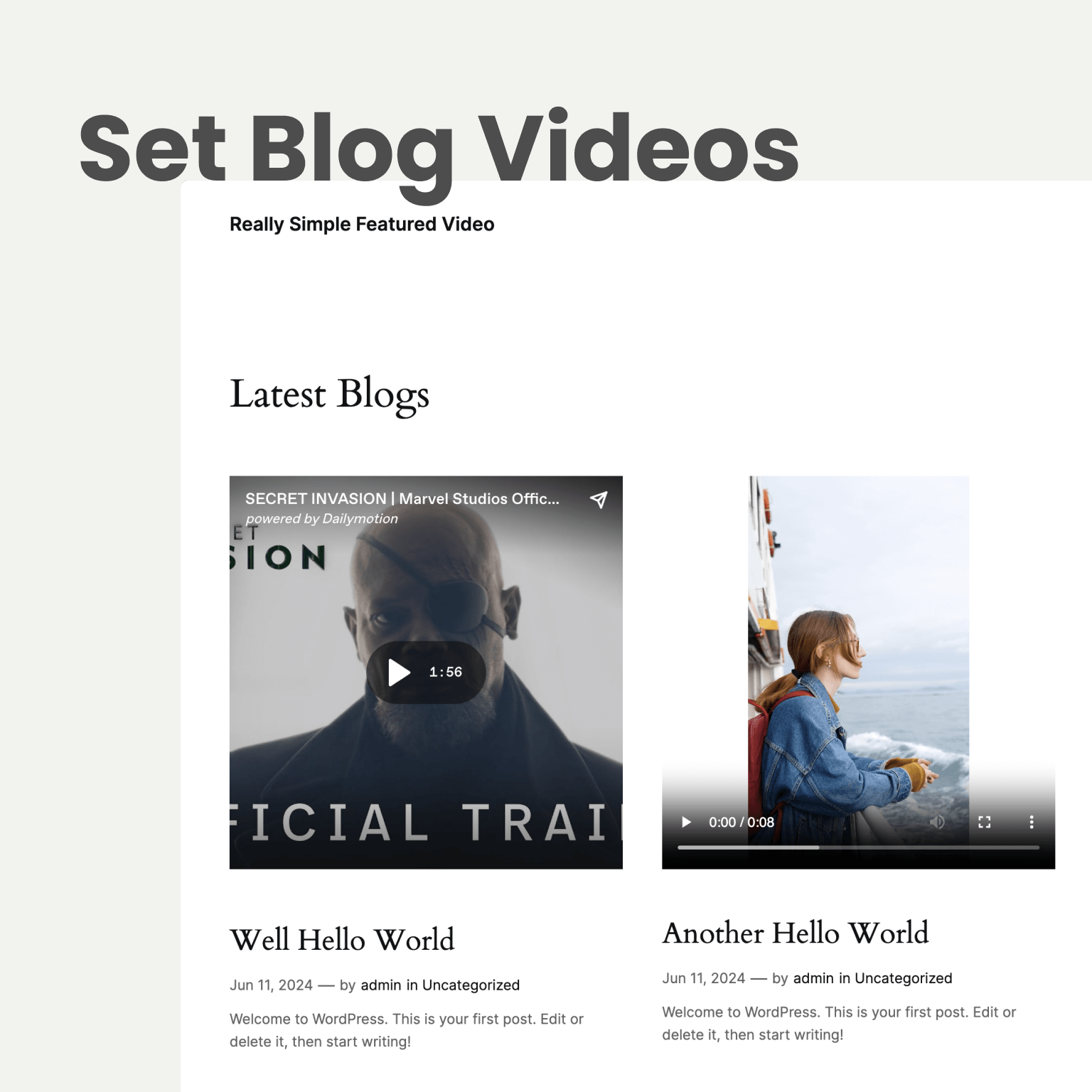
Upload a clip or paste a YouTube, Vimeo, or Dailymotion link. It takes the place of your featured image, so it shows up on your posts, blog, and archives straight away. Your theme stays exactly as it is.
Use a video instead of the featured image on your posts, pages, and WooCommerce products. Upload your own, embed from YouTube, Vimeo, or Dailymotion, or auto generate one from a template with Video Studio. Includes autoplay on hover, bulk upload, and video analytics.
Featured video
Upload a clip or paste a YouTube, Vimeo, or Dailymotion link. It takes the place of your featured image, so it shows up on your posts, blog, and archives straight away. Your theme stays exactly as it is.
WooCommerce
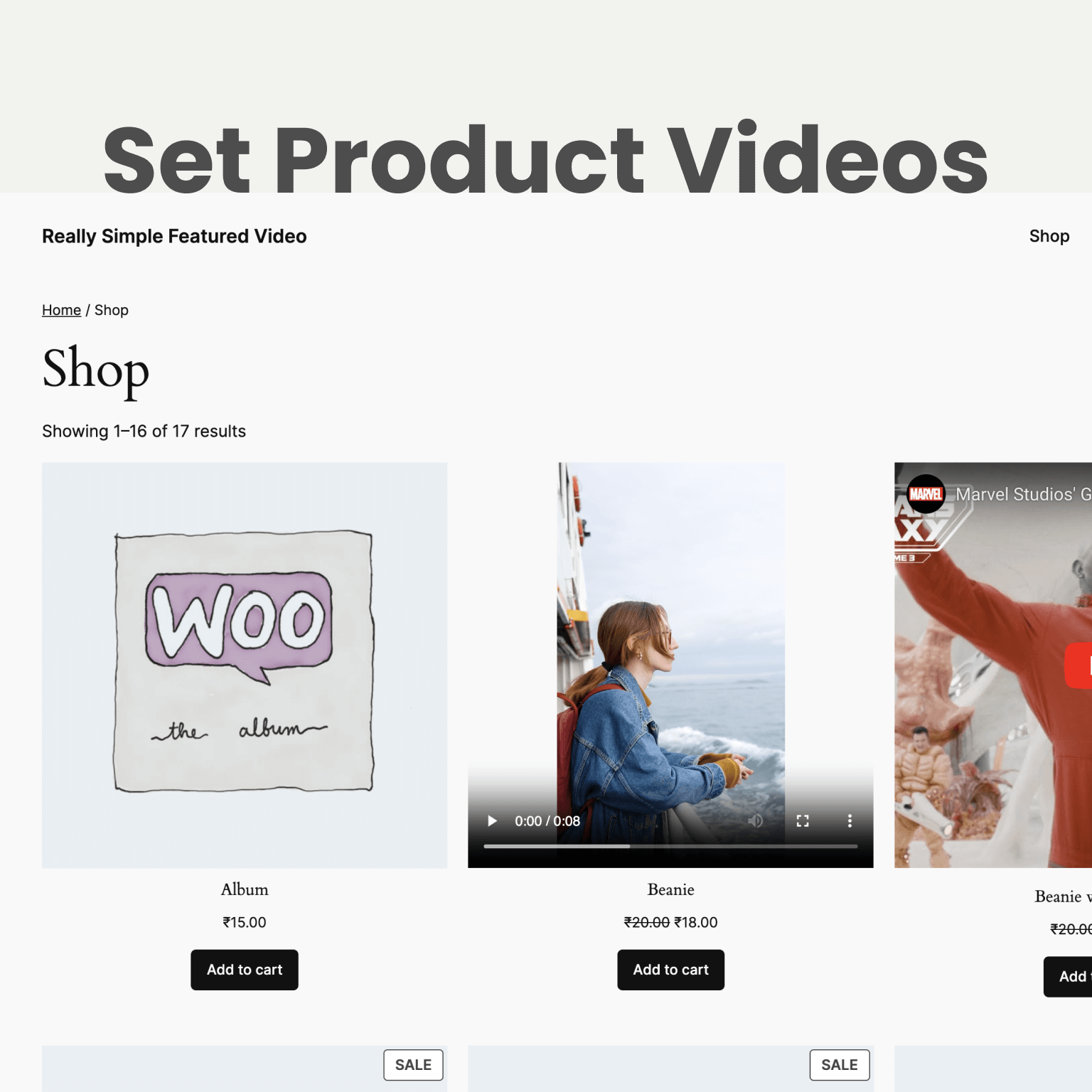
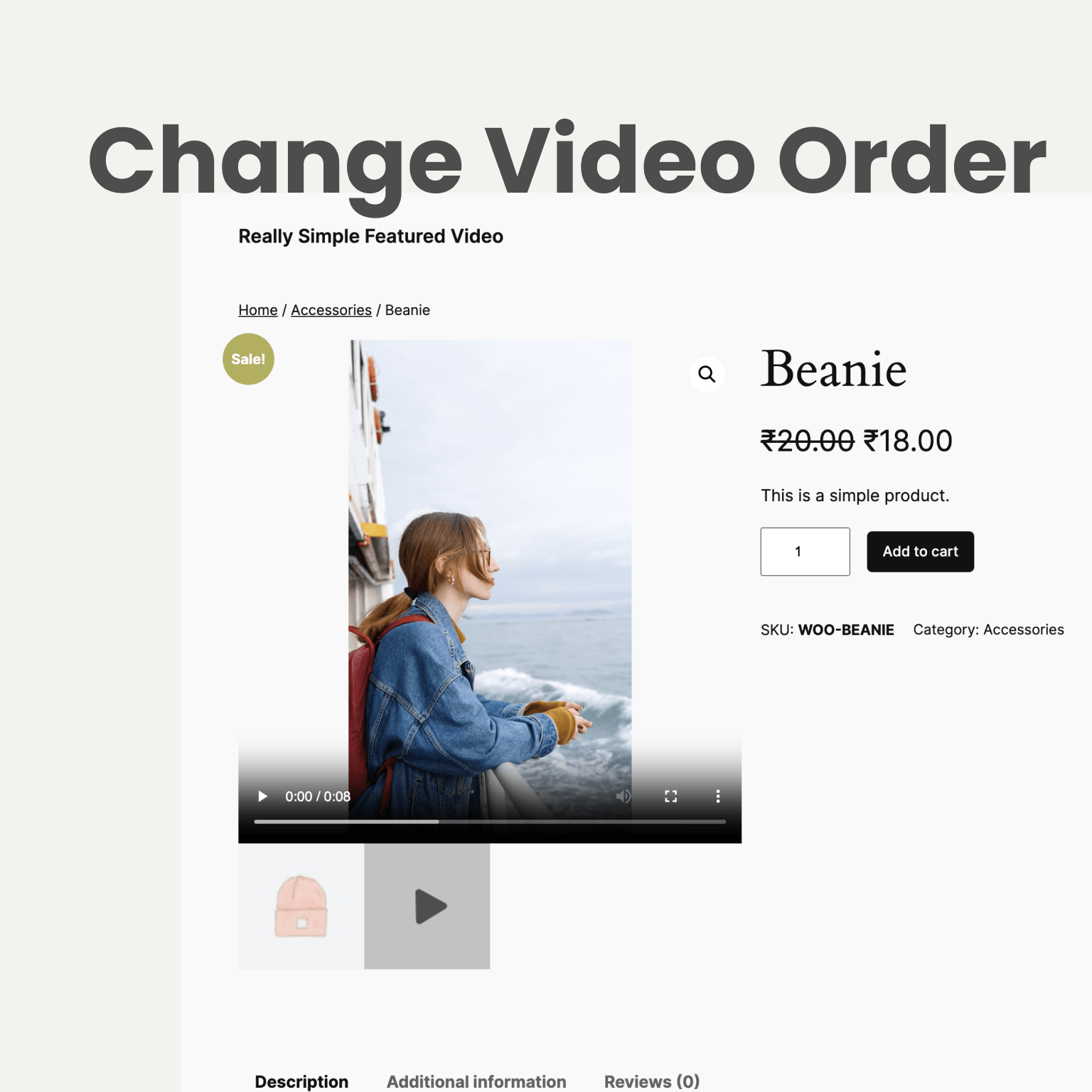
Shoppers want to see a product move before they buy it. Put your video right in the product gallery and on your shop pages, next to your photos.
With PRO, your video can lead the gallery with a thumbnail you designed.
Video Tools
Stop opening posts one by one. See every featured video on a single screen, or bulk upload a whole folder of clips from a spreadsheet. What used to take an afternoon takes a few minutes.
Video analytics
Views, plays, and play rate for every featured video over the last 14 days. Counts are anonymous and stay on your site: no cookies, no IP addresses, and your own visits don't count.
With PRO, keep history as long as you like and see watch time, how far people watched, date ranges, and CSV exports.
Features
The free plugin covers most sites. PRO is an add-on for stores and agencies that want the full picture and more control. Install it on top, and nothing you've set up changes.
Match videos to posts from a CSV, or drop in files and links. Minutes, not an afternoon.
Videos start playing the moment someone hovers over them, so your grid feels alive without blaring at visitors. PRO tunes it per screen size and timing.
Sticky Video adds a small play button that opens your video in a popup, on the pages you choose.
An Elementor widget, a Bricks element, and support for Elementor Pro, Salient, and Astra Pro layouts.
Add the Featured Video block to any post or Site Editor template, even inside Query Loops, or use a shortcode. Show its own video or another post's, with player settings for each one.
Ready for the default WordPress themes and favorites like Astra, Kadence, GeneratePress, Flatsome, and Storefront.
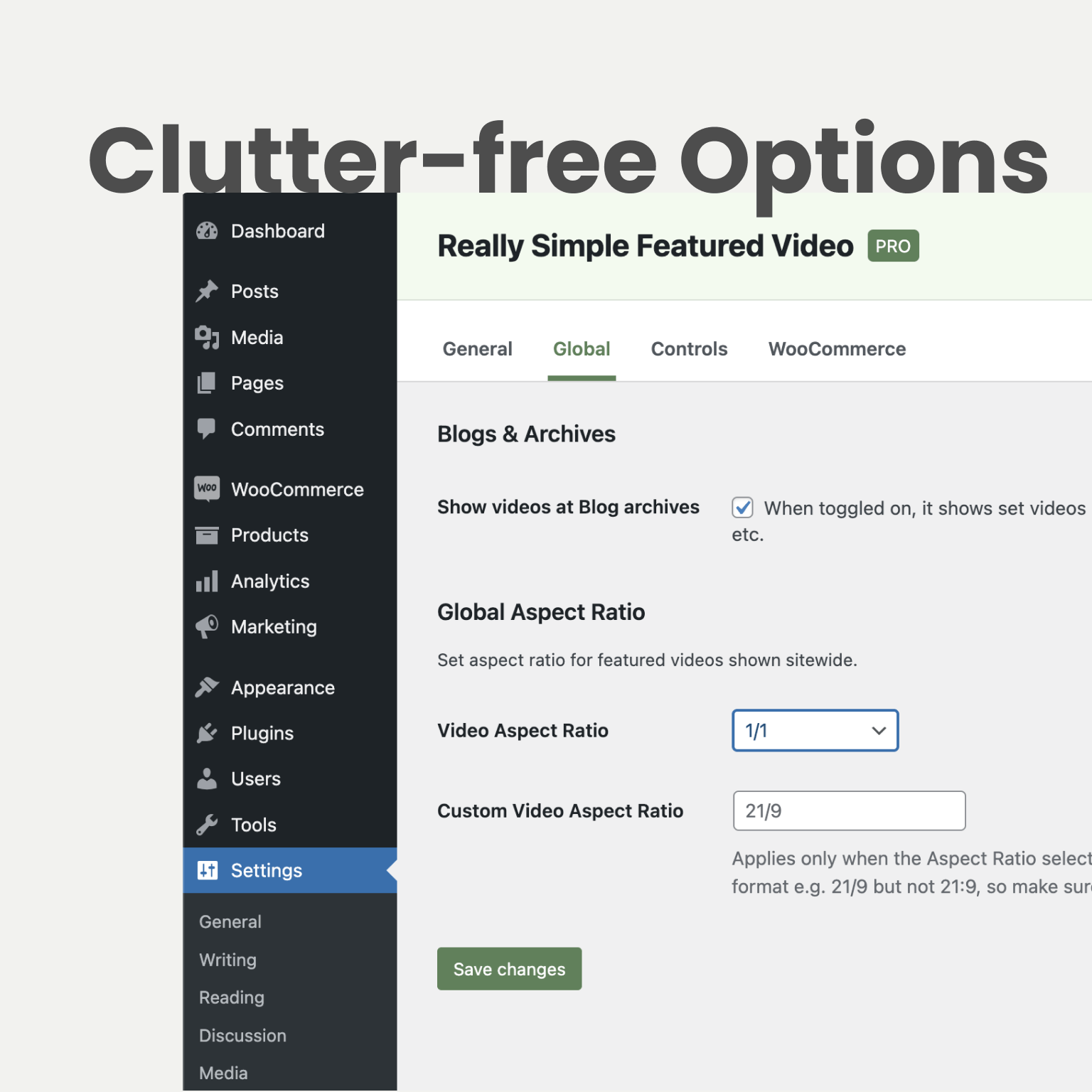
Pick one aspect ratio, from widescreen to vertical 9:16, and every video on your site falls into line.
Country, device, and referring site, whenever you switch it on. Private by design: no IPs, no cookies.
Turn Sticky Video into a stories-style popup that visitors tap through, just like on social apps.
Put the product video first, second, or last, and give it a thumbnail that matches your brand.
Built-in support for Avada, Uncode, OceanWP, Jupiter X, Divi Builder, and more. Using something else? We'll add it.
Priority tickets, answered by the developer behind the plugin, not a script.
New in 1.0 Video Studio · included free
Pick a template. Each one shows a live preview of your own content.
It fills itself in. Title, photos, price and category come straight from the post or product.
Click Make video. Your browser makes it and saves it as the featured video, with a poster.
7 templates free. PRO adds 20 more, plus 9:16 for Reels and Shorts, 4K, music and a brand kit. Nothing is sent to an outside service.
Everything happens on your site. Nothing is sent to an outside service. Making a video needs Chrome, Edge, or Firefox on HTTPS. Safari can preview templates.
Screenshots
What your visitors see on the front end, and what you work with in the admin.
Pricing
Start free today, Video Studio included. Go PRO for 20 more Video Studio templates, vertical and 4K videos, deeper analytics, control over your product gallery, premium theme support, and help from the developer. One payment, yours for life.
Free plugin
$0
Free forever
PRO plugin
Special Black Friday Deal
$89 $59 one-time
One payment · lifetime updates.
VIP Access
Best when you want the full JetixWP catalog, early access to new plugins, and one priority support line across your stack.
Compare
The details, side by side. Everything in the Free column stays free, and PRO adds the rest.
| Feature | Free | PRO |
|---|---|---|
| Video Studio | ||
| Auto generate featured videos from templates | Included | Included |
| Templates | 7 | 27 |
| Filled from the post or WooCommerce product | Included | Included |
| Auto Generate Video from Video Tools | Included | Included |
| Video sizes | 16:9 (720p, 1080p) and 1:1 | Adds 9:16, 4:5, 60 fps, and 4K |
| Background music with fades | Not included | Included |
| Brand kit: colors, font, and logo | Not included | Included |
| Every Google Font | Not included | Included |
| Make videos for many entries at once | Not included | Included |
| Upload videos past your host's limit | Not included | Included |
| Videos | ||
| Self-hosted videos with poster image | Included | Included |
| YouTube (including Shorts), Vimeo, and Dailymotion embeds | Included | Included |
| Posts, pages, and custom post types | Included | Included |
| Player controls: autoplay, loop, mute, picture-in-picture, download | Included | Included |
| Autoplay on hover | Included | Included |
| Autoplay on hover: screen sizes, breakpoint, delay, custom selectors | Not included | Included |
| Sitewide aspect ratio (16:9, 4:3, 3:2, 1:1, 9:16, or custom) | Not included | Included |
| Sticky Video popup with display conditions | Included | Included |
| Sticky Video layouts | Standard | Standard and Story |
| WooCommerce | ||
| Video in the product gallery | Included | Included |
| Video on shop and category pages | Included | Included |
| Video from the External product URL | Included | Included |
| Video position in the gallery (first, second, or last) | Not included | Included |
| Your own gallery video thumbnail | Not included | Included |
| Video Tools | ||
| Manage every featured video from one screen | Included | Included |
| Bulk upload (files, links, CSV or TXT) | Included | Included |
| Video analytics: views, plays, and play rate | Included | Included |
| Video analytics: history kept | 14 days | Up to all time |
| Video analytics: watch time and how far people watched | Not included | Included |
| Video analytics: date ranges, period compare, CSV export | Not included | Included |
| Video analytics: country, device, and referring site (opt-in) | Not included | Included |
| Rollbacks to an earlier version | Included | Included |
| Themes and builders | ||
| Featured Video block, Elementor widget, Bricks element, and shortcodes | Included | Included |
| Default themes plus Astra, Kadence, GeneratePress, Flatsome, and more | Included | Included |
| Premium themes: Avada, Uncode, OceanWP, Jupiter X, Divi Builder, and more | Not included | Included |
| Request support for your theme | Not included | Included |
| Support | ||
| Where to get help | WordPress.org forums | Priority tickets |
For many sites, yes, and it now includes Video Studio with 7 templates. Go PRO when you want 20 more templates, vertical or 4K videos, deeper numbers, a tidier product gallery, or support for a premium theme like Avada or Uncode.
It plays the template in your own browser, records it into a video file, and uploads it to your Media Library. Your content never goes to an outside service.
Chrome, Edge, or Firefox on a site with HTTPS. Safari can preview templates but can't make the video yet. Keep the tab open while it works.
Yes. PRO is an add-on that sits on top of the free plugin. Your videos and settings stay exactly where they are.
If your theme shows featured images the usual WordPress way, it will work. Popular themes have built-in support, and PRO customers can ask us to add theirs.
Yes. Add the Featured Video block to your templates or a Query Loop, and each post shows its own video. You can also pick another post's video and set the player for each block. It needs WordPress 6.3 or newer.
Yes. Bulk upload in Video Tools takes files, links, or a CSV, and matches each video to its post for you.
Yes. Counts stay in your own database. No cookies, no IP addresses, and nothing is sent to us.
No. Pay once and get updates for life, on one site or as many as you run.
Free users can post in the WordPress.org forums. PRO and VIP customers open a priority ticket from their account page.
Yes. If PRO isn't a fit within 30 days, tell us and we'll refund you in full.
Reviews
“The support from JetixWP is among the best I have ever experienced. … Really Simple Featured Video is a great plugin which I highly recommend.”
 dronedirector (read the review on WordPress.org)Featured Video PRO · WordPress.org
“Really simple to use, yet incredibly powerful. It took just a few minutes to set everything up, and the results were immediate.”
“The support was fantastic, fast, personal, and effective. Honestly, the plugin is worth every penny.”
 Kate (read the review on WordPress.org)Featured Video PRO · WordPress.org
“I really love the plugin – it makes a huge difference to be able to show videos to my customers!”
“Worked better for our Divi site than the one sold on WooCommerce.com!”
 roodude (read the review on WordPress.org)Featured Video · WordPress.org
“This plugin does everything it promises. … The support team were quick to login and patch my site in order for the plugin to work correctly. Thoroughly recommended.”
“Helped our projects involving videos.”
“I’m not the most technically-minded person … Really Simple Featured Video is one of those plugins that does what I need it to do and is simple to follow.”
“Krishna provided exceptional support, integrating the solution I needed within a few days.”
 lauri88 (read the review on WordPress.org)Featured Video PRO · WordPress.org
“The support team is extremely friendly and responsive! They customised the plugin for me and it was up and running before I knew it.”
 leonardywg (read the review on WordPress.org)Featured Video PRO · WordPress.org
“Best plugin for featured video for WooCommerce. Works great and light plugin.”
“The support has been great and really reactive. We are more than happy with the plugin!”
 dmbcmataqua (read the review on WordPress.org)Featured Video · WordPress.org
“Awesome customer service. Works great! Simple to use for products.”
Install free in a minute and auto generate your first featured video with Video Studio today. Upgrade to PRO whenever you're ready. Everything you set up comes with you.